
Documentation menu
Wake timers
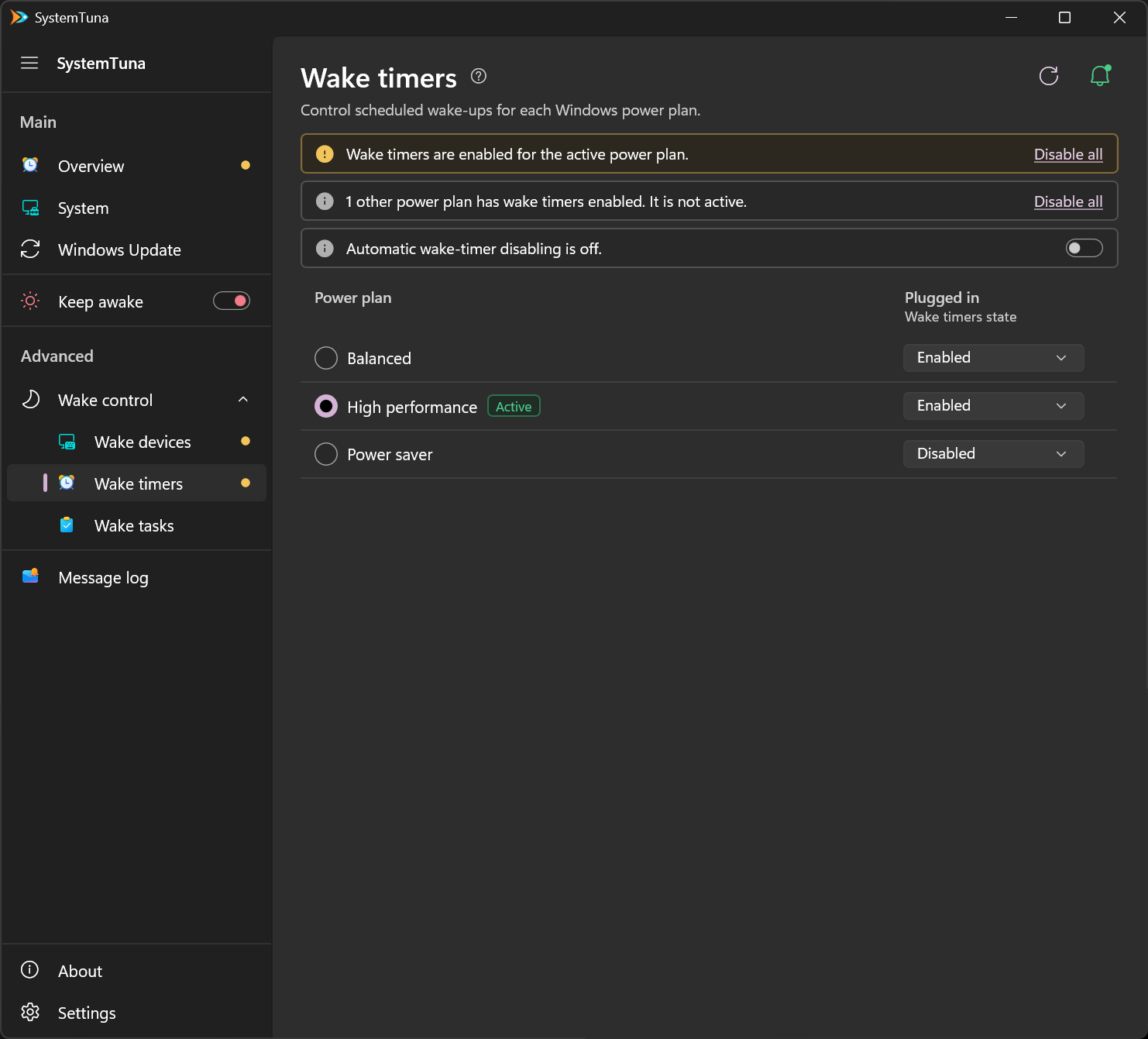
A wake timer lets Windows or an app wake your computer at a set time, for example to run maintenance or install updates. Wake timers shows whether your power plans allow them. To open it, choose Advanced › Wake control › Wake timers in the sidebar.
Power plans
Wake timers are a power plan setting. The table lists your power plans, and Active marks the one in use. Each plan has a value for Plugged in, and on a PC with a battery also for On battery:
| Value | Meaning |
|---|---|
| Disabled | Timers cannot wake the computer. Recommended. |
| Enabled | Any timer can wake the computer. |
| Important only | Only important Windows events, such as some updates, can wake the computer. |
Power plans you are not using only matter if you switch to them.
Alerts
- Amber: wake timers are enabled in the active power plan.
- Gray: another power plan has wake timers enabled. It is not active.
- The third alert shows whether SystemTuna disables wake timers automatically.
Disable all at the right of an alert disables the wake timers it describes.
Keep them off
Windows or an app can turn wake timers back on. Turn on the switch in the automatic disabling alert, and SystemTuna keeps them disabled in the power plan you are using. The values are then locked. Turn the switch off to change them yourself.
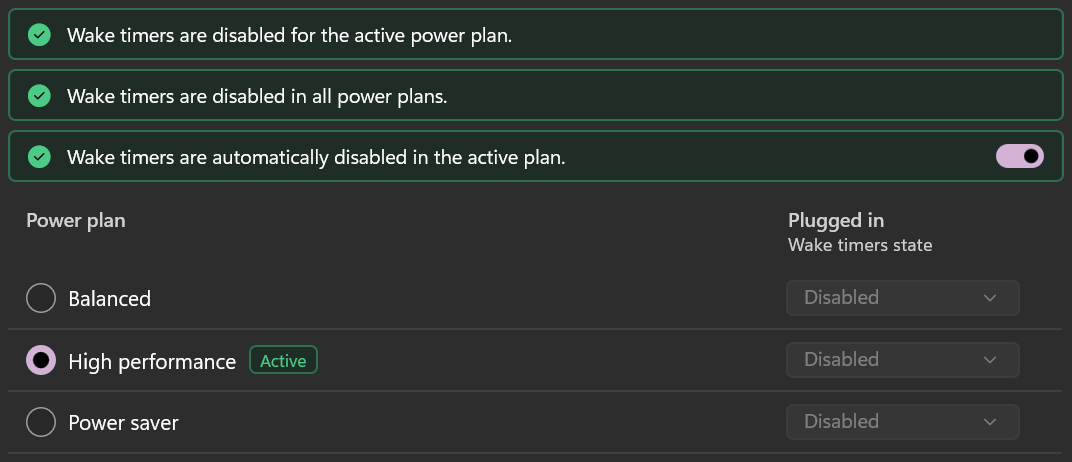
Do not wake from sleep on the Overview turns this on together with the other wake settings.